
 1 year ago
WPS.com Review 2025: The AI-Powered Office Suite Revolutionizing Productivity for Everyone
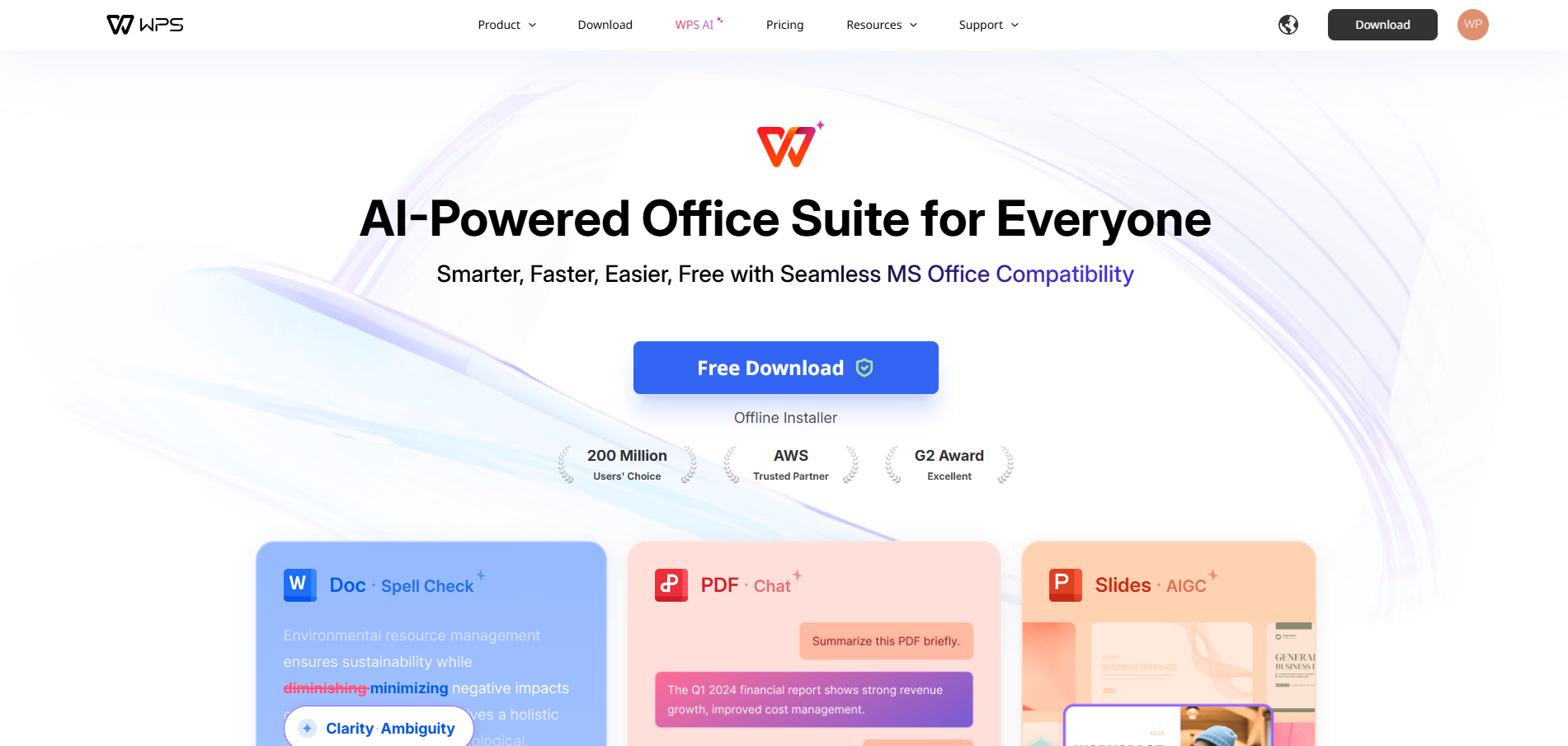
In the competitive landscape of office productivity software, where Microsoft Office has long dominated the market with its comprehensive suite of applications, WPS.com has emerged as a formidable challenger that promises to democratize professional productivity tools. As we advance through 2025, WPS Office has positioned itself as the "AI-Powered Office Suite for Everyone," delivering a solution that is "Smarter, Faster, Easier, Free with Seamless MS Office Compatibility." This revolutionary approach to office productivity combines cutting-edge artificial intelligence with user-friendly design and complete Microsoft Office compatibility, creating an accessible alternative that doesn't compromise on functionality or professional quality. This comprehensive review examines how WPS.com is transforming the office suite landscape and why it has become an indispensable tool for individuals, businesses, and organizations seeking powerful productivity solutions without the traditional barriers of cost and complexity.
The Evolution of Office Productivity Software
The office productivity software market has been dominated by expensive, feature-heavy applications that often present steep learning curves and significant financial investments for users and organizations. Traditional office suites typically require substantial licensing fees, regular updates, and ongoing subscription costs that can burden individuals and small businesses seeking professional-quality productivity tools.
WPS Office addresses these market challenges by providing a comprehensive office suite that combines professional-grade functionality with accessibility and affordability. The platform's commitment to being "free" while maintaining "seamless MS Office compatibility" represents a fundamental shift in how office productivity software is conceived and delivered to users worldwide.
The integration of artificial intelligence into WPS Office's core functionality represents the next evolution in productivity software, moving beyond static tools to intelligent assistants that actively support and enhance user productivity. This AI-powered approach transforms routine office tasks into streamlined, efficient processes that save time while improving output quality.
Comprehensive AI-Powered Functionality
WPS Office's artificial intelligence capabilities extend across all major office applications, providing intelligent assistance that adapts to user needs and work patterns. The AI integration goes beyond simple automation to include contextual understanding, predictive assistance, and intelligent content generation that enhances productivity across writing, calculation, and presentation tasks.
In WPS Writer, the word processing component, AI-powered features include intelligent writing assistance, grammar and style suggestions, content optimization recommendations, and automated formatting that ensures professional document appearance. The AI can analyze writing patterns and suggest improvements in clarity, tone, and structure while maintaining the user's unique voice and style.
WPS Spreadsheets incorporates AI-driven data analysis capabilities that can identify patterns, suggest formulas, and provide insights from complex datasets. The intelligent assistant can automate repetitive calculations, generate charts and visualizations, and even predict trends based on historical data patterns, transforming spreadsheet work from manual calculation to strategic analysis.
WPS Presentation leverages AI to enhance slide creation through intelligent design suggestions, content organization recommendations, and automated formatting that creates professional-quality presentations. The AI can analyze presentation content and suggest optimal layouts, color schemes, and visual elements that enhance message delivery and audience engagement.
The AI assistant functionality provides contextual help and guidance throughout all applications, learning from user behavior to provide increasingly personalized and relevant assistance. This adaptive intelligence ensures that WPS Office becomes more valuable and efficient as users continue to work with the platform.
Seamless Microsoft Office Compatibility
One of WPS Office's most significant advantages is its seamless compatibility with Microsoft Office file formats, ensuring that users can collaborate effectively with colleagues, clients, and partners who use different office software. This compatibility extends beyond basic file opening to include advanced formatting, macros, and complex document structures that maintain integrity across different platforms.
The compatibility engine supports all major Microsoft Office formats including .docx, .xlsx, .pptx, and legacy formats, ensuring that users can work with documents regardless of their origin or intended destination. This comprehensive format support eliminates the friction typically associated with switching between different office suites and enables smooth collaboration in mixed-software environments.
Advanced compatibility features include support for Microsoft Office macros, complex formulas, and specialized formatting that ensures documents maintain their functionality and appearance when shared between different office applications. This level of compatibility is crucial for professional environments where document integrity and collaborative workflows are essential.
The platform's compatibility extends to cloud integration, supporting seamless synchronization with Microsoft OneDrive, Google Drive, and other popular cloud storage services. This integration ensures that users can access and edit their documents from any device while maintaining compatibility with their existing cloud workflows.
User-Friendly Interface and Accessibility
WPS Office prioritizes user experience with an intuitive interface design that makes professional productivity tools accessible to users of all skill levels. The platform's clean, modern interface reduces the learning curve typically associated with comprehensive office suites while providing access to advanced features for power users.
The ribbon-style interface will be familiar to Microsoft Office users, ensuring a smooth transition for those switching from other office applications. However, WPS Office enhances this familiar design with intelligent organization, contextual menus, and streamlined workflows that improve efficiency and reduce complexity.
Customization options allow users to tailor the interface to their specific needs and preferences, including toolbar customization, theme selection, and workspace organization that supports different work styles and requirements. This flexibility ensures that WPS Office can adapt to various user preferences and professional contexts.
Mobile optimization ensures that WPS Office provides consistent functionality across desktop, tablet, and smartphone platforms, enabling productive work regardless of device or location. The mobile applications maintain full compatibility with desktop versions while optimizing the interface for touch interaction and smaller screens.
Cross-Platform Availability and Cloud Integration
WPS Office's cross-platform availability ensures that users can maintain productivity across different operating systems and devices without sacrificing functionality or compatibility. The suite is available for Windows, macOS, Linux, iOS, and Android, providing comprehensive coverage for diverse technology environments.
Cloud integration capabilities enable seamless synchronization of documents, settings, and preferences across all devices, ensuring that users can start work on one device and continue on another without interruption. This synchronization includes real-time collaboration features that enable multiple users to work on documents simultaneously.
The platform's cloud storage integration supports popular services including Google Drive, Dropbox, OneDrive, and WPS's own cloud storage solution, providing flexibility in how users manage and access their documents. This multi-cloud support ensures that WPS Office can integrate into existing workflows without requiring changes to established file management practices.
Offline functionality ensures that users can continue working even without internet connectivity, with automatic synchronization when connectivity is restored. This offline capability is crucial for users who travel frequently or work in environments with unreliable internet access.
Advanced Features and Professional Tools
Despite being free, WPS Office provides advanced features and professional tools that rival expensive commercial office suites. These capabilities include sophisticated formatting options, advanced calculation functions, professional presentation tools, and collaboration features that support complex business requirements.
Document collaboration features include real-time editing, comment systems, track changes, and version control that enable effective teamwork on complex projects. These collaboration tools maintain compatibility with Microsoft Office collaboration features, ensuring seamless integration with existing team workflows.
Advanced formatting capabilities include professional typography options, complex layout tools, and sophisticated styling features that enable creation of publication-quality documents. The platform supports advanced graphics integration, table formatting, and document structuring that meets professional publishing standards.
Data analysis tools in WPS Spreadsheets include pivot tables, advanced charting options, statistical functions, and data visualization capabilities that support complex business analysis and reporting requirements. These tools provide professional-grade analytical capabilities without the cost typically associated with advanced spreadsheet software.
Security and Privacy Considerations
WPS Office implements comprehensive security measures to protect user documents and personal information throughout the productivity workflow. The platform uses enterprise-grade encryption for data transmission and storage, ensuring that sensitive business and personal documents remain secure.
Privacy policies clearly outline how user data is collected, used, and protected, providing transparency and peace of mind for users sharing sensitive information through the platform. The commitment to user privacy includes options for local document storage and processing that minimize cloud-based data exposure.
Document protection features include password encryption, access controls, and digital signatures that ensure document integrity and prevent unauthorized access or modification. These security features are particularly important for business users handling confidential information or sensitive documents.
Regular security updates and patches ensure that WPS Office remains protected against emerging threats and vulnerabilities, maintaining the security standards necessary for professional and business use.
Cost-Effectiveness and Value Proposition
WPS Office's free availability represents exceptional value for individuals and organizations seeking professional-quality office productivity tools without the financial burden of expensive software licenses. The platform provides comprehensive functionality that would typically cost hundreds of dollars in commercial office suites.
For businesses and organizations, the cost savings can be substantial, particularly when considering the licensing costs for multiple users across different devices and platforms. WPS Office's free model enables organizations to provide professional productivity tools to all employees without significant software budget allocations.
The value proposition extends beyond simple cost savings to include the productivity benefits of AI-powered assistance, seamless compatibility, and cross-platform availability that can improve efficiency and collaboration while reducing training and support costs.
Premium features and services are available for users requiring additional functionality, but the core office suite remains free and fully functional for most professional and personal productivity needs.
Educational and Enterprise Applications
WPS Office serves diverse educational and enterprise applications, demonstrating its versatility and suitability for various organizational contexts. Educational institutions benefit from the platform's free availability, enabling schools and universities to provide students with professional-quality productivity tools without budget constraints.
The platform's collaboration features and cloud integration make it particularly valuable for educational environments where students and teachers need to share documents, collaborate on projects, and access materials from various devices and locations.
Enterprise applications include comprehensive document management, team collaboration, and business process support that enables organizations to maintain productivity while controlling software costs. The platform's Microsoft Office compatibility ensures smooth integration into existing business workflows and systems.
Small businesses and startups particularly benefit from WPS Office's combination of professional functionality and free availability, enabling them to maintain professional standards while managing limited budgets and resources.
Future Developments and Innovation
As WPS Office continues to evolve in 2025, the platform is expanding its AI capabilities to include more sophisticated content generation, advanced data analysis, and enhanced collaboration features. The development roadmap includes improvements in natural language processing, predictive assistance, and intelligent automation.
Enhanced AI features will include more sophisticated writing assistance, automated content creation, and intelligent document analysis that can provide insights and recommendations based on document content and user patterns. These improvements will further differentiate WPS Office from traditional office suites.
Integration with emerging technologies such as voice recognition, augmented reality, and machine learning will expand WPS Office's capabilities and enable new forms of productivity and collaboration that go beyond traditional office applications.
The platform's commitment to remaining free while continuously improving functionality ensures that WPS Office will continue to provide exceptional value and accessibility for users worldwide.
Conclusion and Strategic Recommendation
WPS.com has successfully established itself as a revolutionary office productivity platform that delivers on its promise to provide an "AI-Powered Office Suite for Everyone" that is "Smarter, Faster, Easier, Free with Seamless MS Office Compatibility." The platform's combination of advanced AI functionality, comprehensive Microsoft Office compatibility, and free availability creates exceptional value for users across all contexts.
For individuals, businesses, and organizations seeking professional-quality office productivity tools without the traditional barriers of cost and complexity, WPS Office provides an outstanding solution. The platform's AI-powered features, cross-platform availability, and seamless compatibility make it a compelling alternative to expensive commercial office suites.
The strategic implications of adopting WPS Office extend beyond cost savings to include productivity improvements through AI assistance, enhanced collaboration capabilities, and the flexibility to work across different devices and platforms without compatibility concerns.
As the office productivity software market continues to evolve toward more intelligent, accessible, and cost-effective solutions, WPS Office represents the future of office productivity tools. The platform's continued innovation and commitment to accessibility make it a highly recommended solution for anyone seeking powerful, professional office productivity capabilities in 2025 and beyond.
Whether you're an individual professional, small business, educational institution, or large enterprise, WPS Office provides the tools and capabilities necessary to achieve professional productivity goals while maintaining budget flexibility and operational efficiency. The platform's revolutionary approach to office productivity makes it an essential consideration for anyone evaluating office software solutions in the modern digital workplace.



 English (US) ·
  Indonesian (ID) ·